Skip to content
Open Source · MIT Licensed Star

Beam your terminal to any device

One command turns your terminal into a secure, mobile-optimized web app.
No SSH, no port forwarding — just scan the QR code.

Get Started
localhost:3456/terminal
TermBeam desktop terminal
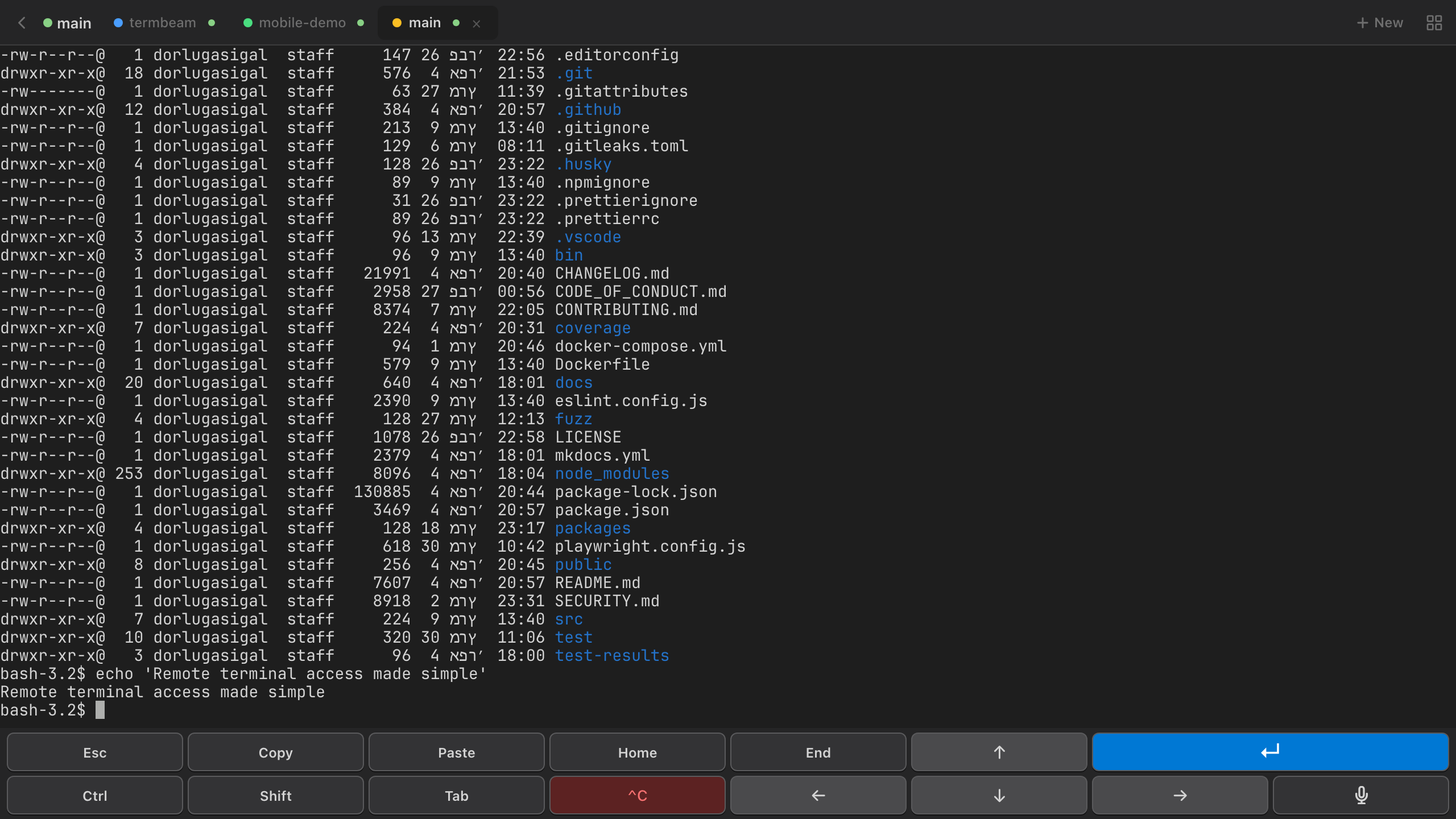
TermBeam mobile terminal

Everything you need,
nothing you don't

01

One command, instant access

Run npx termbeam → scan QR → done. No SSH keys, no port forwarding, no config files.

Zero ConfigQR Auto-LoginInstant Access
02

AI agents, built in

Launch GitHub Copilot, Claude Code, or OpenCode right from the new session modal. Your AI pair programmer, one click away.

GitHub CopilotClaude CodeOpenCode
localhost:3456
03

Designed for your thumbs

Purpose-built touch bar with every key you need — Ctrl, Alt, Tab, arrows. Swipe gestures and a UI that feels native on mobile.

Touch BarSwipe GesturesMobile-First
04

Talk to your terminal

Tap the mic and dictate commands with your voice. Lock it on with a swipe — hands-free terminal on the go.

Voice InputDictationHands-Free
05

A workspace, not just a terminal

Tabs, split view, drag to reorder. Manage multiple sessions like a pro — all in your browser.

Multi-SessionTabsSplit View
localhost:3456
06

Resume sessions anywhere

Pick up exactly where you left off. Browse, search, and reconnect to any previous session from any device.

Session ResumePersistenceCross-Device
localhost:3456
07

Git diffs at a glance

See staged, modified, and untracked files. Review diffs line-by-line with additions and deletions highlighted.

Git StatusDiff ViewerBranch Info
localhost:3456
08

Browse & manage files

Browse the file system, view source code, upload via drag-and-drop, and download anything — all from your browser.

File BrowserDrag & DropDownload
localhost:3456
09

40 themes, your style

Dracula, Nord, Cyberpunk, Catppuccin, Tokyo Night — pick a theme and the entire UI transforms instantly. Your choice persists across sessions.

40 ThemesInstant SwitchPersistent

Three steps. That's it.

1

Run the command

npx termbeam starts a secure server and generates a public URL + QR code.

2

Scan the QR code

Point your phone camera at the screen. The QR code includes the password — zero typing needed.

3

You're in

A full terminal in your browser — with touch bar, tabs, file browser, and everything you need.

The old way vs. the beam way

Without TermBeam

  • Not included: Generate SSH keys, copy to server
  • Not included: Configure port forwarding
  • Not included: Install terminal app on each device
  • Not included: No touch-friendly controls
  • Not included: No file browser
  • Not included: One session at a time

With TermBeam

  • Included: One command: npx termbeam
  • Included: Auto tunnel with public URL
  • Included: Works in any browser, any device
  • Included: Touch bar + swipe gestures
  • Included: Built-in file browser + upload
  • Included: Multi-session tabs + split view

Works with your favorite tools

GitHub Copilot
Claude Code
OpenCode
Any CLI Tool

Your terminal, anywhere.
One command away.

Install in seconds. No account, no signup, no credit card — just npx termbeam and go.

Get Started
Works on macOS Linux Windows